Choosing the best sole trader accounting software is not simply a matter of finding the platform with the longest feature list.
A sole trader earning £800 a year from occasional freelance work has very different accounting needs from a self-employed builder dealing with CIS deductions, or a consultant whose qualifying income has pushed them into Making Tax Digital for Income Tax.
For many very small side hustles, paying £15 or £20 every month for accounting software may not even make financial sense. At the other end of the scale, relying on a spreadsheet can become increasingly inconvenient once bank feeds, VAT, CIS or MTD reporting enter the picture.
For most UK sole traders in 2026, the strongest options are Zoho Books, Clear Books, Sage Sole Trader, FreeAgent, Xero and QuickBooks, while Crunch is worth considering when access to an accountant matters more than obtaining the cheapest software subscription.
The right choice depends primarily on turnover, MTD status, VAT registration, CIS responsibilities, banking arrangements and whether the business is likely to become more complex.
Which Sole Trader Accounting Software Is Best in 2026?
There is no single winner for every sole trader. The following are the strongest choices for different situations.
| Situation | Best Option | Why |
| Best overall value | Zoho Books | Strong free and low-cost tiers with broad accounting functionality |
| Best free MTD-focused option | Clear Books | £0 sole trader plan with MTD Income Tax support |
| Best for a simple non-VAT sole trader | Sage Sole Trader | Very low regular price and a genuinely useful free tier |
| Best when included with a bank account | FreeAgent | Can be free for qualifying NatWest, RBS, Ulster Bank and Mettle customers |
| Best for growing businesses | Xero | Strong bank feeds, accountant ecosystem and upgrade path |
| Best for mobile bookkeeping and automation | QuickBooks | Strong mobile application and transaction automation |
| Best for software plus accountant support | Crunch | Combines accounting technology with professional accounting services |
| Best for a CIS contractor | Zoho Books Professional / Xero / QuickBooks | Better support for contractor deductions, reporting and HMRC workflows |
A sole trader should therefore choose software based on the accounting work it will actually replace, rather than selecting the platform with the highest number of advertised features.
How Were These Accounting Platforms Compared?
Rather than treating every sole trader as though they have identical requirements, this comparison uses eight practical criteria:
| Criterion | What Was Considered |
| MTD readiness | Support for Making Tax Digital for Income Tax and digital record keeping |
| Long-term cost | Regular subscription price rather than only introductory discounts |
| Free-plan usefulness | Whether a sole trader can realistically operate without upgrading |
| Banking | Bank feeds and compatibility with commonly used UK banks |
| CIS | Contractor, subcontractor and domestic reverse-charge capabilities |
| Automation | Transaction categorisation, receipt capture and reconciliation |
| User experience | Mobile app ratings and current independent customer feedback |
| Scalability | VAT, multiple accounts and more complex accounting requirements |
Pricing and product features were checked against current UK product information rather than simply comparing headline promotional offers.This is also not presented as laboratory-style hands-on testing.
Where a platform makes an automation or AI claim, it is treated as a product feature rather than proof that every transaction will be categorised correctly. Independent app and customer ratings are considered separately.
That distinction is particularly important with AI-assisted bookkeeping, where an impressive feature description does not necessarily translate into consistently accurate categorisation.
Does Every Sole Trader Actually Need Accounting Software?
No.
The best accounting software for a sole trader earning £600 from occasional work might be no accounting software at all.
Before comparing subscriptions, it is worth deciding whether software is necessary.
| Annual Gross Trading Income | Practical Starting Point | Why |
| £0–£1,000 | Spreadsheet or basic records may be sufficient | Trading allowance may remove the need to report qualifying trading income in straightforward cases |
| £1,001–£20,000 | Spreadsheet or free accounting software | Formal records become more important, but paid software may still be unnecessary |
| £20,001–£30,000 | Free or inexpensive digital accounting software | Preparing for MTD becomes increasingly sensible |
| £30,001–£50,000 | MTD-compatible software strongly recommended | The £30,000 MTD phase begins from April 2027 |
| Over £50,000 | MTD-compatible software may already be compulsory | The first MTD Income Tax phase started from April 2026 for qualifying taxpayers |
The important figure for MTD is qualifying gross income, not accounting profit. HMRC generally looks at total gross income from self-employment and property before expenses.
Someone making only a small amount from freelancing should therefore understand the £1,000 trading allowance before paying for sophisticated accounting software.
A spreadsheet can still be perfectly reasonable for a very small, uncomplicated business where MTD does not apply.
Software starts becoming substantially more valuable when there are dozens of monthly transactions, business expenses, invoices, bank feeds, VAT, CIS deductions or multiple sources of self-employed income.
Those unsure whether their activity has reached the point where HMRC registration is required can also check when it is necessary to register as a sole trader.
What Is the Best Overall Sole Trader Accounting Software?
1. Zoho Books – Best Overall for Value
Zoho Books is one of the most compelling choices for price-conscious sole traders because it offers considerably more than a basic invoicing tool.
Its Free plan can work for very small businesses, while paid plans add more automation and accounting functionality as the business develops.
At the time of checking, Zoho Books lists a Free plan at £0, Standard at approximately £12 per month when paid monthly or £10 per month equivalent when billed annually, and higher plans for businesses requiring more advanced features.
Best suited to: Freelancers, consultants, digital businesses and sole traders wanting strong functionality without immediately committing to an expensive subscription.
A particularly important distinction concerns CIS. Zoho supports CIS accounting functionality, while more advanced direct CIS reporting features sit higher in its plan structure.
Its CIS tools cover contractor and subcontractor calculations, statements, domestic reverse-charge VAT and HMRC workflows.The main caution is bank-feed eligibility.
Zoho uses bank-feed providers and its supported institutions can change, so anyone whose decision depends on a particular Monzo, Starling or Revolut account should confirm that exact account in the live directory before subscribing.
Verdict: Zoho Books offers perhaps the strongest balance between free accounting, affordable upgrades and room to grow.
2. Clear Books – Best Free MTD Accounting Software
Clear Books deserves much more attention in a sole trader comparison than it usually receives.
Its Sole Trader Free product is designed specifically around simple self-employed accounting and is listed as free rather than as a temporary trial.
The free product supports digital records and MTD Income Tax functionality, with no transaction limit stated for the sole-trader service. It can also accommodate CIS subcontractors.
A paid Sole Trader plan costs around £5 per month plus VAT and adds features such as automatic bank feeds and receipt scanning. Sole Trader Plus is positioned higher for users needing features including MTD VAT and domestic reverse charge.
Best suited to: Sole traders who want to prepare for MTD without immediately taking on another monthly subscription.
The main limitation is that more complicated CIS contractor requirements can push a business beyond the basic sole-trader tiers.
Verdict: One of the strongest options for anyone whose priority is keeping software costs close to zero while still moving towards digital bookkeeping.
3. Sage Sole Trader – Best for Straightforward Bookkeeping
Sage now has a dedicated sole trader product rather than forcing every self-employed person into its broader accounting packages.
Sage Sole Trader Free is aimed at non-VAT-registered sole traders and includes basic invoicing, a bank connection and a limited level of automatic transaction categorisation.
The paid Sole Trader tier is normally around £7 per month plus VAT, although Sage regularly runs introductory promotions. It adds capabilities such as more automatic categorisation, receipt scanning, additional bank-account support, unlimited invoicing and CIS features.
Best suited to: Non-VAT sole traders wanting straightforward software from an established UK accounting brand.
Its biggest limitation is VAT. A VAT-registered sole trader will generally need to move to Sage Accounting rather than remain on the dedicated Sole Trader product.
Anyone approaching VAT registration should therefore calculate the future software cost rather than choosing solely on the attractive £7 headline price. The VAT registration threshold for side hustles and small businesses becomes relevant well before the actual registration date.
Verdict: Excellent for uncomplicated non-VAT sole traders, but less attractive if VAT registration is likely soon.
4. FreeAgent – Best if Your Bank Makes It Free
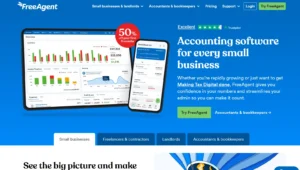
At its normal price, FreeAgent is not the cheapest product in this comparison.
For eligible customers, however, the calculation changes completely.
FreeAgent can be provided at no separate software charge with qualifying business accounts from NatWest, Royal Bank of Scotland and Ulster Bank, as well as qualifying Mettle accounts.
For customers paying directly, the standard sole-trader price is around £19 per month plus VAT, with an annual-payment option also available. Promotions can reduce the initial cost substantially.
Best suited to: NatWest-group or Mettle business-account customers, freelancers who value usability and sole traders who want strong UK tax integration.
FreeAgent also performs particularly well on independent user sentiment. Its iOS application held an approximately 4.8/5 score from thousands of ratings at the time of checking, while its Trustpilot rating was around 4.6/5. Ratings fluctuate, so these numbers should be viewed as a snapshot rather than a permanent product score.
Its CIS functionality is useful for bookkeeping, deductions and statements. One limitation for contractors is worth checking carefully: current FreeAgent support documentation states that filing the monthly CIS300 return is not supported directly in the same way as some competitor workflows.
Verdict: If a qualifying bank account makes FreeAgent free, it can move from being one of the more expensive choices to one of the easiest recommendations in the market.
5. Xero – Best for Sole Traders Planning to Grow

Xero is often associated with established small companies, but its entry-level products can also work well for sole traders.
As of 1 September 2026, Xero’s UK pricing includes Simple at approximately £7 per month, while Ignite increased to £18 per month under its September pricing changes. Higher tiers progressively add functionality.
Xero Simple is specifically targeted at straightforward non-VAT businesses and includes bank reconciliation, document capture, invoicing and MTD Income Tax functionality.
Best suited to: Sole traders expecting to grow, businesses working closely with an accountant and users wanting extensive banking and app integrations.
Xero is also one of the strongest choices for bank connectivity. Current integration information confirms support around Monzo, Starling and Revolut Business connections.
CIS subcontractor functionality is available, while businesses acting as contractors may need Ignite or above plus the relevant CIS functionality for verification, filing and bulk statements.
Xero’s iOS app held approximately 4.8/5 from more than 20,000 ratings at the time of review, while Trustpilot was around 4.1/5.
Verdict: More software than the smallest sole traders require, but an excellent option for someone who wants to avoid changing platforms as their business becomes more complicated.
6. QuickBooks – Best for Mobile Bookkeeping and Automation
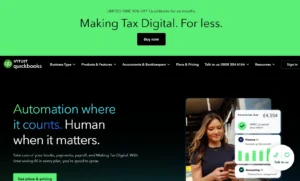
QuickBooks remains one of the most recognisable accounting platforms for UK sole traders.
Its dedicated Sole Trader offering is typically around £10 per month plus VAT at its regular price, although substantial introductory discounts are common.
The product includes income and expense tracking, receipt capture, mileage functions, bank feeds and MTD functionality.
Best suited to: Sole traders who do much of their bookkeeping from a phone and businesses wanting extensive automation.One distinction matters for construction businesses.
QuickBooks Sole Trader Plus is suitable for tracking CIS when operating as a subcontractor, but businesses acting as CIS contractors generally need a broader QuickBooks plan such as Simple Start for contractor calculations and submission functionality.
QuickBooks has the largest iOS rating volume among the products compared here, at roughly 4.7/5 from tens of thousands of UK App Store ratings. Its Trustpilot score was more mixed, at approximately 3.7/5 during this review.
Its AI and automatic transaction categorisation should also be treated as assistance rather than unquestioned bookkeeping. A suggested category still needs review where transactions are unusual, mixed-use or tax-sensitive.
Verdict: A powerful all-round product, particularly on mobile, but sole traders should test whether its automation genuinely saves them time rather than assuming every suggested category will be correct.
7. Crunch – Best When a Sole Trader Also Wants an Accountant
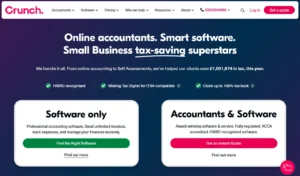
Crunch is not a direct like-for-like alternative to a £5 bookkeeping application.
Its value proposition is combining accounting software with human accounting support.
Current sole-trader packages start from approximately £27 per month plus VAT, depending on the service level, and can include Self Assessment and MTD support.
Best suited to: Sole traders who are prepared to pay more to reduce the amount of tax and accounting administration they handle alone.
Someone who only needs invoice creation and expense tracking will find cheaper alternatives elsewhere. A trader who would otherwise separately pay an accountant may find the comparison much closer.
Verdict: Expensive as software, but potentially competitive when considered as software plus professional accounting support.
What Does Sole Trader Accounting Software Really Cost After the Discount?
Introductory discounts make accounting software pricing surprisingly difficult to compare.
A product advertised at “90% off” may look dramatically cheaper than a competitor even though both products eventually cost roughly the same every month.
The more useful question is: what does the software cost once the promotional period ends?
The following examples use publicly displayed prices and promotions available around 1 September 2026. Promotions change frequently, so the regular cost is more important than the introductory figure.
| Software | Typical Entry Option | Approx. First-Year Cost* | Approx. Regular Annual Cost |
| Clear Books Sole Trader Free | £0 | £0 | £0 |
| Zoho Books Free | £0 | £0 | £0 |
| Sage Sole Trader | £7/month | About £46 if a 90%-for-six-months offer applies | £84 |
| Xero Simple | £7/month | About £50 with 80% off first six months | £84 |
| QuickBooks Sole Trader Plus | £10/month | About £66 with a £1-for-six-month offer | £120 |
| Zoho Books Standard | £10/month equivalent annually | About £120 annually | About £120 |
| FreeAgent | £19/month | About £171 with 50% off six months | £228 monthly-rate equivalent |
| Crunch | From £27/month | From £324 | From £324 |
*Illustrative calculations based on the offers observed during the review. All figures should be rechecked before publication or purchase.
There is another cost frequently overlooked in software comparisons: VAT on the subscription itself.
Prices marketed to businesses are commonly displayed excluding VAT. A VAT-registered sole trader may be able to reclaim eligible input VAT, but a non-VAT-registered sole trader effectively bears that additional cost.
This makes a supposedly £10-per-month package a £12 cash expense when 20% VAT is added.
FreeAgent is another special case. Its normal annual subscription looks expensive beside £5–£10 competitors, but an eligible NatWest, RBS, Ulster Bank or Mettle customer could pay nothing separately for the software.
Headline price alone therefore produces a misleading ranking.
Which Accounting Software Is Best for CIS Sole Traders?
Construction workers should not choose accounting software based solely on generic expense and invoicing features.
There are substantial differences between being a CIS subcontractor and operating as a CIS contractor.
A subcontractor usually needs software capable of recording CIS deductions correctly and reconciling deduction statements.
A contractor may additionally need subcontractor verification, deduction calculations, payment and deduction statements and monthly CIS return workflows.
VAT-registered construction businesses can also encounter the domestic reverse charge.
| Software | CIS Subcontractor | CIS Contractor | Direct Contractor Filing | Reverse-Charge VAT |
| Zoho Books | Yes | Yes | Available on suitable higher plan | Yes |
| Xero | Yes | Yes | Available with appropriate plan/CIS functionality | Yes |
| QuickBooks | Yes | Yes on broader accounting tier | Yes on appropriate plan | Yes |
| FreeAgent | Yes | Bookkeeping support | Check CIS300 workflow carefully | Yes |
| Sage Sole Trader | Yes on paid plan | More limited at Sole Trader level | May require broader Sage product | Requires VAT-capable Sage product |
| Clear Books | Yes | Available higher in product range | Higher plan required | Available on suitable plan |
Zoho Books, Xero and QuickBooks therefore make more sense for a sole trader who is actually operating as a contractor, while Sage Sole Trader or Clear Books can be particularly attractive to straightforward CIS subcontractors.
Tradespeople should also consider where their business is heading. Choosing a £7 non-VAT package can create a false economy if VAT registration and domestic reverse-charge requirements are likely to require an upgrade only a few months later.
How Does PAYE Income Affect MTD for a Side Hustle?
This is one of the most commonly misunderstood parts of Making Tax Digital.
A salary from employment does not simply get added to self-employed turnover when deciding whether someone has exceeded the MTD qualifying-income threshold.
For MTD Income Tax, HMRC generally uses gross qualifying income from self-employment and property. PAYE salary, dividends and several other income types do not form part of that qualifying-income calculation.
Consider two examples:
| Income | MTD Qualifying Income |
| £42,000 PAYE salary + £12,000 freelance turnover | £12,000 |
| £15,000 freelance income + £38,000 rental income | £53,000 |
The first person does not have £54,000 of MTD qualifying income merely because their salary and freelance turnover together exceed £50,000.
The second person can exceed the threshold because qualifying income from self-employment and property is aggregated.
PAYE earnings still matter for the person’s overall Income Tax position. Anyone running a business alongside employment may therefore want to compare the tax treatment of a side hustle and second job and estimate the eventual liability using a UK side-hustle tax calculator.
Software should consequently be chosen based on the size and complexity of the self-employed operation, rather than the person’s total salary plus side-income figure.
What Happens Around the £50,000, £30,000 and £20,000 MTD Thresholds?
MTD for Income Tax is being introduced in stages.
HMRC’s current timetable requires qualifying individuals with income over £50,000 based on their 2024/25 return to use MTD from 6 April 2026.
The threshold falls to over £30,000 from April 2027 based on the relevant earlier return, and to over £20,000 from April 2028.
This is not the same type of rolling threshold test used for VAT.
A sole trader does not generally become subject to MTD the instant one particularly strong month pushes annualised turnover above £50,000. HMRC looks at the qualifying-income information reported for the relevant tax year to determine the subsequent MTD obligation.
There is another important edge case.
Once someone is already required to use MTD, dropping below the threshold for a single year does not necessarily mean they can immediately stop.
HMRC’s current rules allow someone whose qualifying income remains below the relevant threshold for three consecutive tax years to opt out, subject to the applicable conditions.
This matters for seasonal businesses whose turnover moves between £25,000, £35,000 and £55,000 from year to year.
People who believe they should not have to use MTD because of digital exclusion or another qualifying circumstance should separately review the available Making Tax Digital exemptions.
Which Accounting Software Works With Monzo, Starling and Revolut?
“Bank feeds included” does not automatically mean every bank account and every account type is supported.
That matters increasingly for sole traders using digital banks.
| Software | Monzo | Starling | Revolut |
| Xero | Yes | Yes | Revolut Business supported |
| FreeAgent | Supported business accounts | Starling Business supported | Revolut Business supported; account type matters |
| QuickBooks | Yes | Yes | Supported integrations available |
| Sage | Supported, with some connections listed as beta | Supported, with some connections listed as beta | Confirm exact account in current directory |
| Zoho Books | Check live bank-feed directory | Check live bank-feed directory | Check live bank-feed directory |
Xero, FreeAgent and QuickBooks currently have some of the clearest support across the three digital-banking ecosystems.
FreeAgent deserves a particularly important footnote: Revolut Business and other Revolut account types should not automatically be treated as interchangeable. Current FreeAgent documentation distinguishes between supported account types.
Before selecting software primarily for its bank feed, search for the exact account, not merely the bank’s brand name.
Can AI Transaction Categorisation Be Trusted?
Accounting software companies increasingly promote AI-powered categorisation and automated bookkeeping.
These functions can genuinely reduce repetitive work, but they should not be treated as infallible.
A subscription comparison that simply places a tick beside “AI categorisation” tells a sole trader almost nothing about how useful the feature will actually be.
Before committing to a platform, a better test is to import a realistic group of transactions and see how it handles recurring expenses, fuel, software subscriptions, owner drawings, transfers between accounts, refunds, mixed personal/business expenditure and unusual suppliers.
The useful metric is not whether software offers AI.
It is how many suggestions need correcting.
A sensible trial would use 30–50 genuine transactions, record how many categories are right first time and check whether later suggestions improve after corrections.
This is particularly important for tax-sensitive expenditure. Software can help organise records, but responsibility for keeping accurate business records does not disappear because an algorithm suggested a category.
What Do Independent User Ratings Say?
Independent ratings should never determine a software choice on their own, but they provide a useful counterweight to publisher reviews and vendor marketing.
The following were approximate snapshots during this review and will change as additional ratings are posted.
| Platform | Trustpilot Snapshot | UK iOS App Snapshot |
| FreeAgent | ~4.6/5 | ~4.8/5 |
| Xero | ~4.1/5 | ~4.8/5 |
| QuickBooks | ~3.7/5 | ~4.7/5 |
| Sage | ~4.1/5 for Sage overall | ~4.5/5 for Sage Accounting |
| Zoho Books | ~3.9/5 for Zoho overall | ~4.8/5 for Zoho Books |
FreeAgent currently stands out for consistency between its general customer sentiment and mobile-app rating. Xero and Zoho Books also perform strongly on iOS. QuickBooks’ mobile rating is excellent, while its broader Trustpilot feedback is more mixed.
There are two important limitations.
The Sage Trustpilot score relates to the broader Sage organisation rather than only its £7 Sole Trader product, while Zoho’s Trustpilot profile covers the wider company rather than exclusively Zoho Books.
Ratings should therefore be treated as a supporting signal rather than converted into an artificial league-table score.
Can a Sole Trader Switch Accounting Software Mid-Year?
Yes, although timing matters.
Changing software is relatively straightforward when a business has only a few transactions. It becomes more sensitive once MTD submissions, VAT periods, CIS returns or hundreds of reconciled bank transactions are involved.
Before cancelling the old subscription, a sole trader should export the underlying accounting records and key reports, download copies of invoices and supporting documents where necessary, reconcile accounts to a clear cut-off date, retain submission confirmations, confirm what historical data the new platform can import and authorise the replacement MTD-compatible software correctly with HMRC.
HMRC requires compatible software to create and maintain digital records and submit the relevant MTD information.
Where possible, switching immediately after an MTD quarter, VAT period or tax-year end usually produces a cleaner cut-off than moving halfway through a reporting period.
However, a sole trader should not miss an HMRC deadline merely to obtain a neater migration date.
Submission history also needs careful treatment. HMRC retains information that has already been submitted, but a new application may not automatically reproduce every piece of historical detail, categorisation and working data held inside the previous platform.
For that reason, records should be exported before cancelling access.
What Happens to Accounting Records After Cancelling Software?
Data-access policies differ considerably between providers.
Some platforms allow continuing read-only access for a period, while others restrict features when the subscription ends.
A sole trader should therefore never assume that an old login will remain a permanent archive.
Before cancellation, export the general ledger or transaction history, profit-and-loss reports, balance information where relevant, invoice records, expense evidence, bank reconciliations, VAT information, CIS statements and copies of tax or MTD submissions that may later be needed.
This becomes especially important when moving from sole trader status to a limited company.
A person may remain the same individual, but a limited company is a separate legal entity. Historical sole-trader accounting records should therefore be preserved rather than simply overwriting the existing business file.
Those unclear about the terminology can first distinguish between being a sole trader and being self-employed.
How Do You Know When You Have Outgrown Sole Trader Software?
Cheap sole-trader software works best while the business itself remains straightforward.
An upgrade may be justified when the business becomes VAT registered, starts employing staff, acts as a CIS contractor rather than only a subcontractor, needs multiple users and approvals, requires advanced reporting, handles stock or multiple currencies, manages several bank and payment accounts, or is preparing to incorporate as a limited company.
This is one reason the cheapest option is not automatically the best value.
A freelancer expecting £12,000 of annual turnover may sensibly start with Sage Sole Trader Free, Clear Books or Zoho Books Free.
A consultant already billing £70,000 and considering incorporation may save more disruption by starting with Xero, QuickBooks or another platform that provides a clearer expansion path.
Which Software Should Different Types of Sole Traders Choose?
| Sole Trader Situation | Best Starting Point |
| Under £1,000 casual side income | Spreadsheet/basic records may be enough |
| £5,000 freelance side hustle | Clear Books Free, Zoho Books Free or Sage Sole Trader Free |
| Non-VAT consultant | Sage Sole Trader, Xero Simple or Zoho Books |
| NatWest/Mettle business customer | FreeAgent |
| CIS subcontractor | Sage Sole Trader, Clear Books, Xero or QuickBooks |
| CIS contractor | Zoho Books Professional, suitable Xero tier or QuickBooks accounting tier |
| VAT-registered trader | Xero, QuickBooks, Zoho or appropriate Sage Accounting plan |
| Sole trader over MTD threshold | HMRC-compatible digital accounting software |
| Trader expecting rapid growth | Xero or QuickBooks |
| Trader wanting accountant support included | Crunch |
| PAYE employee with small side hustle | Free software or spreadsheet may be adequate depending on side-income level |
Someone earning additional income should also make sure they understand when it is necessary to declare side-hustle income to HMRC. Buying software does not itself register the business or satisfy every tax-reporting obligation.
What Are the Best Alternatives to the Main Seven?
KashFlow remains a recognisable UK accounting product and has inexpensive introductory offers, bank feeds, receipt handling, VAT functionality and CIS features.
Its Starter plan has recently been advertised at approximately £13.50 per month before promotions. Introductory discounts can significantly reduce the first six months.
It remains worth considering for conventional bookkeeping, but anyone buying specifically because of the staged MTD Income Tax rollout should confirm the exact currently supported MTD Income Tax workflow before committing.
Adminsoft is another product frequently included in broad accounting-software roundups. It has not been placed among the principal recommendations here because sufficiently clear current UK product, pricing and MTD Income Tax information could not be verified to the same standard as the shortlisted products.
That is preferable to awarding a platform a ranking merely to produce a longer “top 10” list.
What Is the Best Sole Trader Accounting Software Overall?
For most price-conscious sole traders, Zoho Books offers the strongest overall combination of functionality and affordability.
For someone who wants free MTD-oriented bookkeeping, Clear Books is particularly difficult to overlook.
For a straightforward non-VAT sole trader, Sage Sole Trader provides a simple £0-to-low-cost route.
For anyone with an eligible NatWest, RBS, Ulster Bank or Mettle account, FreeAgent may offer the best value because its normal subscription cost can effectively disappear.
Xero is the stronger choice where scalability, accountant familiarity and bank integrations matter, while QuickBooks makes sense for mobile-first bookkeeping and automation.
A construction business should make the decision differently again: CIS contractor functionality and reverse-charge VAT support matter more than whether a platform saves £3 per month.
The most important conclusion is therefore that the best sole trader accounting software is the one that matches the trader’s actual tax and reporting position.
Someone below the £1,000 trading allowance may need little more than reliable records. Someone already caught by MTD for Income Tax needs compatible digital software. A CIS contractor needs considerably more specialist functionality.
A PAYE employee earning £8,000 from a side business should not buy enterprise-grade software simply because their combined salary and side income exceed £50,000.
Selecting software by situation rather than by marketing score generally produces a cheaper—and more practical—answer.
Frequently Asked Questions
What Is the Best Free Accounting Software for a Sole Trader?
Clear Books, Zoho Books and Sage Sole Trader all provide useful free options. The best choice depends on whether bank feeds, MTD, CIS or invoicing limits matter to the business.
Do Sole Traders Legally Need Accounting Software?
Not every sole trader must buy accounting software. Smaller traders can often maintain appropriate records using spreadsheets. However, people within Making Tax Digital for Income Tax need compatible digital software arrangements that meet HMRC requirements.
Is Xero or QuickBooks Better for a Sole Trader?
Xero is particularly attractive for scalability, accountant collaboration and integrations. QuickBooks is strong for mobile bookkeeping and automation. Very small sole traders may find cheaper products sufficient.
Is FreeAgent Really Free for Sole Traders?
It can be. Qualifying NatWest, RBS, Ulster Bank and Mettle business customers can receive FreeAgent without paying the standard standalone subscription. Eligibility conditions should be checked with the relevant provider.
Does PAYE Salary Count Towards the MTD Income Threshold?
No. Employment income taxed through PAYE does not normally form part of MTD qualifying income. HMRC generally looks at gross qualifying income from self-employment and property.
What Accounting Software Is Best for CIS Subcontractors?
Sage Sole Trader, Clear Books, Xero, QuickBooks, FreeAgent and Zoho Books all provide varying levels of CIS support. A subcontractor has simpler requirements than a CIS contractor, so the exact role should be checked before choosing a plan.
What Accounting Software Is Best for CIS Contractors?
Zoho Books Professional, suitable Xero plans and appropriate QuickBooks accounting plans are stronger choices where contractor verification, deduction calculations, statements and HMRC reporting are required.
Can Sole Traders Use Excel Instead of Accounting Software?
Yes, when MTD or another digital-software obligation does not require something more sophisticated. Excel can work well for a small business with relatively few transactions, provided accurate records and supporting evidence are maintained.
Can Accounting Software Be Changed During the Tax Year?
Yes. Export existing data first, reconcile to a clear cut-off point and make sure the new software is correctly authorised for any MTD obligations. Switching immediately after a reporting period is often cleaner than migrating halfway through one.
What Happens if MTD Income Falls Below the Threshold Again?
A single lower-income year does not necessarily remove an existing MTD obligation. Current HMRC rules contain an opt-out route where qualifying income remains below the relevant threshold for three consecutive tax years, subject to the applicable conditions.
Can the Same Accounting Software Be Used After Becoming a Limited Company?
Often yes, but the company should normally be treated as a new legal entity rather than simply continuing the sole-trader books unchanged. The exact migration process differs between software providers.
Should a Sole Trader Pay for Accounting Software or an Accountant?
They solve different problems. Software handles record keeping, reconciliation, invoicing and submissions, while an accountant can provide professional tax and accounting advice. A simple sole trader may only need software, whereas a more complicated business may benefit from both.

More in Business Tools & Software
Top 10 Print on Demand Companies in the UK
The UK print-on-demand industry is thriving, offering creators and entrepreneurs an efficient way to launch product lines without holding inventory. Choosing the right partner is essential for success, as providers vary in pricing, product selection, and customer service. This list ranks the top 10 UK print-on-demand companies, with a clear focus on the features that […]

Two-Factor vs Two-Step Verification: What Is the Difference and Why Does It Matter for Businesses?
As businesses increasingly depend on cloud accounting, digital banking, online payments and remote working, protecting access to sensitive information has become an essential part of financial and operational risk management. Two-factor authentication and two-step verification are among the most widely used methods for strengthening account security, but they are not technically identical. The difference may […]